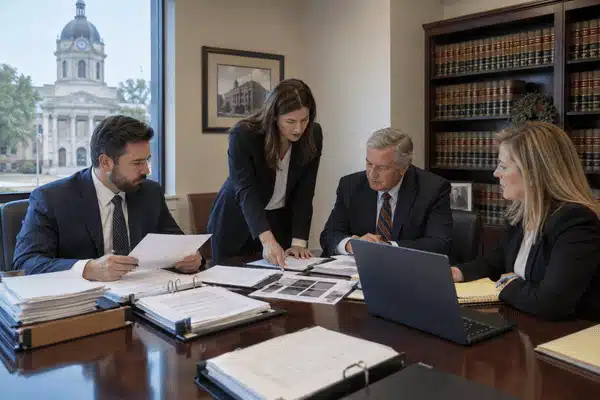


When court starts, there is no time to hunt for missing video files. A war meeting room gives attorneys space to check exhibits, talk privately, and fix last-minute problems.
Think about what happens between court sessions. One lawyer needs a transcript page, another wants to replay a deposition, and the paralegal has an exhibit to print. All of that work needs somewhere to happen, preferably away from the busy courthouse hallways.
A table and a Wi-Fi password won’t get you very far, though. You’ll need enough power outlets, secure internet, and equipment that has already been tested. Otherwise, a small technical problem could eat into the little time your team has before heading back to court.
A fully equipped war meeting room gives your team a real advantage. It’s a secure command center for all trial prep Court breaks can be short. When everyone is scattered between the courthouse and a hotel, even finding the right person takes time.
Having a war meeting room nearby gives the team a place to return to after each session. Attorneys can discuss what happened in court while the support staff gets the next set of files ready.
There’s plenty to sort out before the first day. Make sure the team has somewhere to work and knows where to find:
Backup copies: Keep another set of approved exhibits on a separate drive. Check that the files open before taking it to court.
Exhibits: Arrange the files the way they’ll be used in court. That may mean sorting them by witness rather than by date.
Private space: Set aside a room where attorneys can discuss the case without people walking in.
Before buying or renting equipment, think about how your team works. Will one person handle every exhibit, or will several people need access throughout the day?
Start with the trial laptop and work outward. Ask who will manage the files, handle printing, and deal with equipment problems. Each person should have what they need within easy reach.

Fast, secure Wi-Fi is non-negotiable. Large trials create massive data A busy trial room may have several people using the internet at once. You’ll need a router that can handle their devices without giving visitors access to private files.
Look for Wi-Fi 6, WPA3-Enterprise, a built-in firewall, and dual gigabit WAN ports. Set up separate VLANs for guests and staff. Check that the VPN works and install security updates before the team arrives.
Before renting a large display, find out what your trial laptop can connect to. You don’t want to discover that a required adapter is missing during a rehearsal.
Run through one of the longer witness clips from start to finish. Have someone sit across the room and check whether every word comes through clearly. Keep an extra HDMI adapter and audio cable close by, especially if you’re using rented equipment.
Exhibit folders tend to get messy as a trial moves along. New files arrive, old versions get replaced, and someone inevitably asks for a document nobody has opened in days.
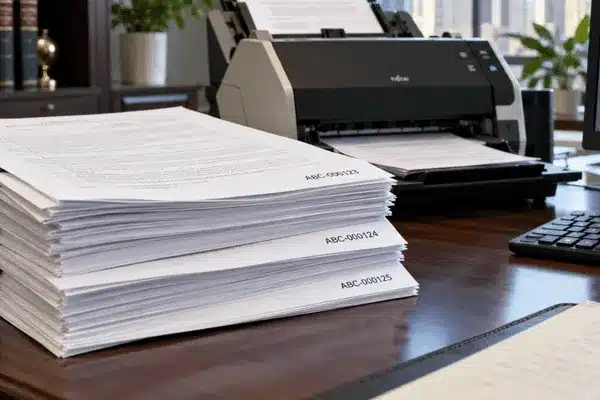
Give each exhibit a file name that matches the court’s exhibit list. Once an attorney approves a document, move that copy into its own folder. Keep working drafts elsewhere so they aren’t mistaken for final evidence.
Have another team member try finding a document without help. If they struggle, the folder setup probably needs some work.
Imagine two staff members working on the same exhibit just before lunch ends. One adds a note, while the other sends an older copy to the person running the courtroom display.
That mix-up is easy to avoid when everyone uses one folder for approved files. Keep unfinished work somewhere else, and make sure staff know which copy is ready for court.
Keep access limited to the people working on those files. Witness preparation notes, for example, shouldn’t be sitting in a folder that every visitor can open.
Remote attorneys need to hear what’s being said around the table. Place the microphone where people actually sit, then call someone outside the building to test it.
While you’re on that call, open an exhibit and ask the person at the other end to read a line from it. You’ll soon find out whether the screen is clear enough. If the call keeps cutting out, try plugging the laptop into the router instead of relying on Wi-Fi.
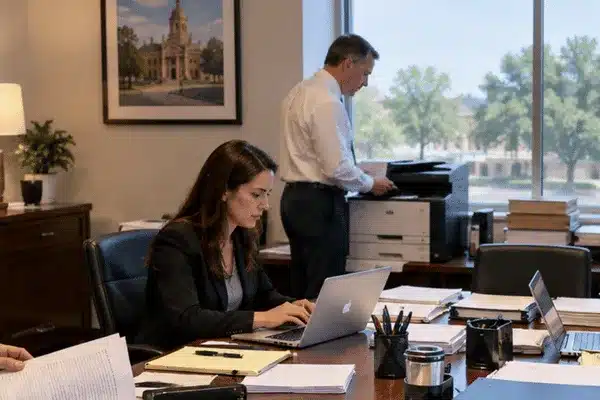
Printers always seem busiest right before court. Put spare paper and toner somewhere staff can find them without searching through cabinets.
If signed pages need scanning, make sure they go into the correct case folder. A locked shred bin is also useful for drafts and papers that shouldn’t be left in ordinary trash.
A power cut halfway through an exhibit review can leave everyone wondering what was saved. A 1,500 VA/900 W UPS may give a small laptop-and-router setup enough time to shut down safely.
Don’t judge battery life by the number on the box alone. Plug in the equipment you’ll use and check its power draw. The more devices you connect, the less time the battery will last.
Have a second laptop ready, with the trial software already installed. Open a few exhibits on it before court week. Put the IT support number somewhere staff can find it even if the main computer stops working.
Encrypt drives, require multi-factor sign-in, and lock the room.
Secure High-Speed Connectivity
Presentation Displays and AV Equipment
Digital Evidence Management Systems
Real-Time Collaboration Tools
Video Conferencing for Hybrid Work
Printing and Office Equipment
Backup Systems and IT Support
Security and Confidentiality
Leave room for exhibits and keep cables off walkways.
Set aside time for a proper rehearsal. Have someone operate the trial laptop while another person calls out the exhibits, just as an attorney might during court.
Open a PDF, play part of a deposition, pause it, and switch to another document. Check whether the next item appears on the correct screen.
Try using the spare laptop as well. A quick equipment check won’t tell you much if nobody has tested how the whole setup works together.
Court equipment is easier to manage when everything has its place. Pack drives, laptop chargers, and display cables in labeled cases. Keep the items needed inside court separate from the gear staying in your meeting room.
Texas courthouses have different device policies, and judges may issue their own orders. Ask the clerk whether the team needs approval to bring or use certain equipment.
For the actual trip, place drives in locked cases and keep a record of who handles them. If the court wants exhibits in a certain format, prepare those copies ahead of time.
Provide good lighting, comfortable chairs, and a private call space.

Local trial support can handle equipment and last-minute issues.
Ask who handles a failed screen or urgent print job. Services may include:
Ask about courthouse experience, spare gear, and after-hours support.
Contact Central Texas Litigation Support Services to request a quote for your trial setup.
During a trial, attorneys may need to review a witness’s statement or discuss new evidence away from court. That’s where a war meeting room comes in.
It could be a rented office, a hotel meeting room, or a private space near the courthouse. What matters is having the case files, equipment, and people together when the team needs them.
A two-day hearing and a month-long trial won’t need the same equipment. For a smaller case, you might bring your own laptops and rent a display. A longer trial could call for printers, several screens, and onsite IT help.
Ask for a quote that separates equipment rental, delivery, and staff fees. You’ll have a better idea of where the money goes and what you can bring from your own office.
Not always. A short trial may need only a quiet office. Bigger cases with many exhibits often need their own space.
Aim to start planning four to six weeks before trial. That gives you time to book space and check what the court allows. Test the equipment before opening day.
A lawyer doesn’t have to be in the room to take part in a case discussion. They can join by video, look over an exhibit, and send comments while the rest of the team works nearby.
For this to work, the person on the call needs to hear the discussion clearly and read the shared files. Run a test before trial, particularly if several people will join from different locations.
Consider what someone could see simply by walking past an open door. A client file on an unattended screen can create a problem even when the computer has strong security.
Keep papers out of sight when they’re not in use, and make sure devices require a password. Use encryption and multi-factor sign-in for case files. Remove folder access when someone finishes their work on the matter.
Before packing a laptop for court, read the judge’s order and check with the clerk. Rules for attorneys can differ from those for witnesses and visitors.
For example, Waco’s federal courthouse requires prior approval for electronic device use. Marshall follows a different policy for screened attorneys and staff. Even if your team has used the same laptop at another Texas courthouse, check the local rules again.
TrialDirector 360 has Presentation Preview for checking an exhibit before the jury sees it. Its annotation tools highlight key details, while saved stages keep marked-up views ready. Dual-monitor mode helps keep the control screen private.
First, check how the court wants to receive the exhibits. Some files may be shown from your trial laptop, while others may need to be given to court staff.
Prepare two checked copies of the evidence before leaving your office. Put them on encrypted drives and record who has each one. Pack the cables the court has approved, and leave time for security screening when you arrive.
A UPS and a generator serve different purposes. The UPS keeps equipment running during a brief outage, while a generator can provide longer backup power.
Check the UPS input before choosing a generator. A 120 V, 60 Hz UPS needs a compatible power source. Eaton recommends allowing roughly 1.5 to 3 times the UPS kVA rating, depending on the equipment.
Have an electrician check the load and power quality. Fuel-powered generators must run outdoors, at least 20 feet from doors, windows, and vents, and never inside the war room.
Storing a document in the cloud doesn’t automatically make it privileged. The firm is still responsible for protecting its clients’ information.
Microsoft 365, Google Workspace, and Box offer business security features, including access controls and audit logs. What matters is how the firm sets up sharing, encryption, and user access. Texas Rule 1.05 still applies when a third-party service stores client files.
Nobody wants to spend the first morning of trial figuring out why a video won’t play. A little time spent testing the room can prevent a lot of confusion later. Make sure the files are ready, the equipment works, and everyone knows who to call when something goes wrong.
Contact Central Texas Litigation Support Services to discuss the equipment and support your team needs for its next trial.